Setup guide · Local LLM · Ollama
Run a free, fully private LLM with Ollama.
A short video walkthrough of installing Ollama on your own machine, pulling a model, and pointing Resume Tailor at it. Once it's running, your résumé content never leaves your computer , no API keys, no cloud calls, no usage costs.
What you'll need: About 10 minutes, ~5 GB of free disk space for a starter model, and the Resume Tailor desktop app installed. Default Ollama endpoint is http://localhost:11434/v1; that's the URL Resume Tailor uses out of the box, so once Ollama is running the app finds it automatically.
Prefer to read? The official Ollama documentation covers installation, model management, configuration, and troubleshooting in depth:
docs.ollama.com.
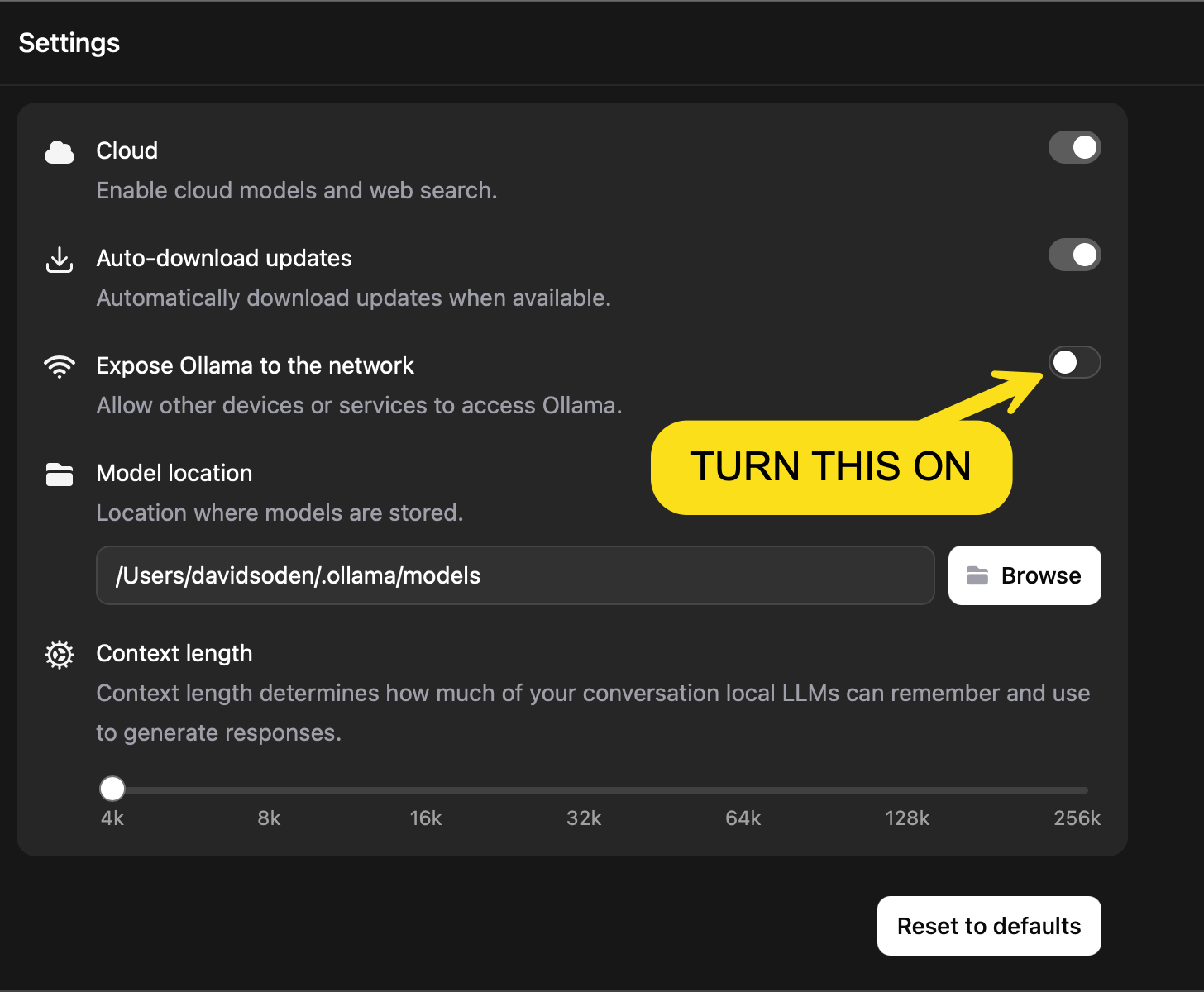
Most-missed step: in Ollama's Settings, turn on
"Expose Ollama to the network". Without it, the Resume Tailor app can't reach your local model and you'll see connection errors.
View the setting →